Account, tracking-category, and item breakdowns
Account breakdown
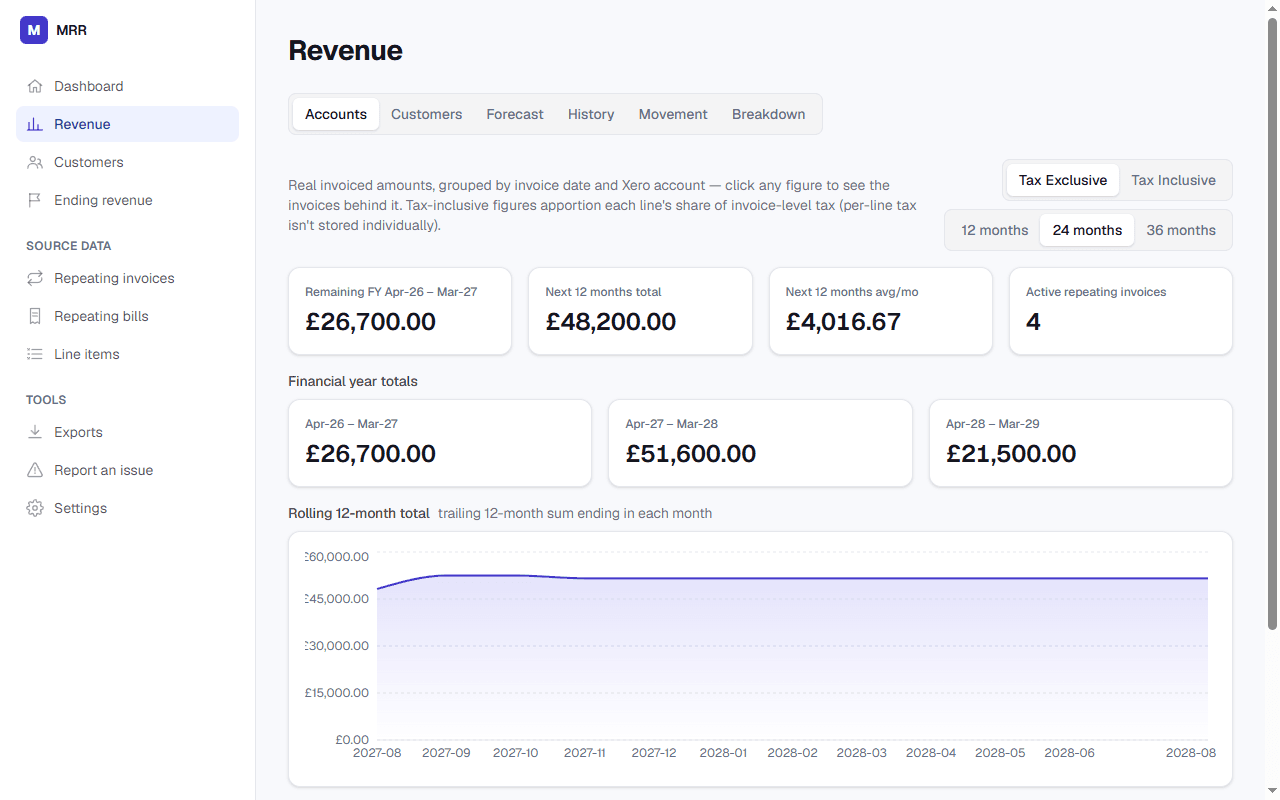
Revenue grouped by Xero account code, month by month, with tax exclusive and inclusive views, financial-year totals for the current year and the two after it, and a rolling 12-month total chart. Click any figure to see the exact invoices and line items behind it.
Tracking-category breakdown
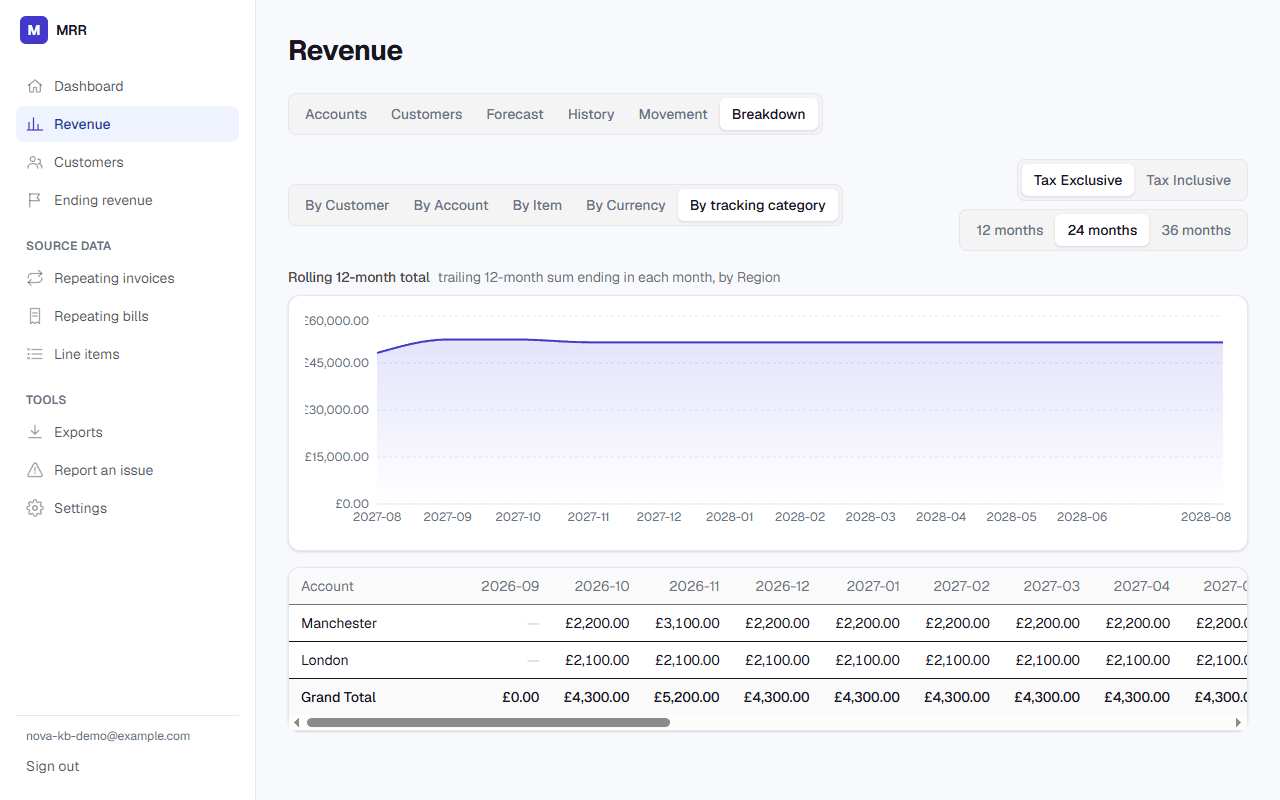
If you use Xero tracking categories (like Region or Department), Revenue → Breakdown → “By tracking category” gives each option the same month-by-month depth as the account breakdown — including its own rolling 12-month total.
Item-code breakdown
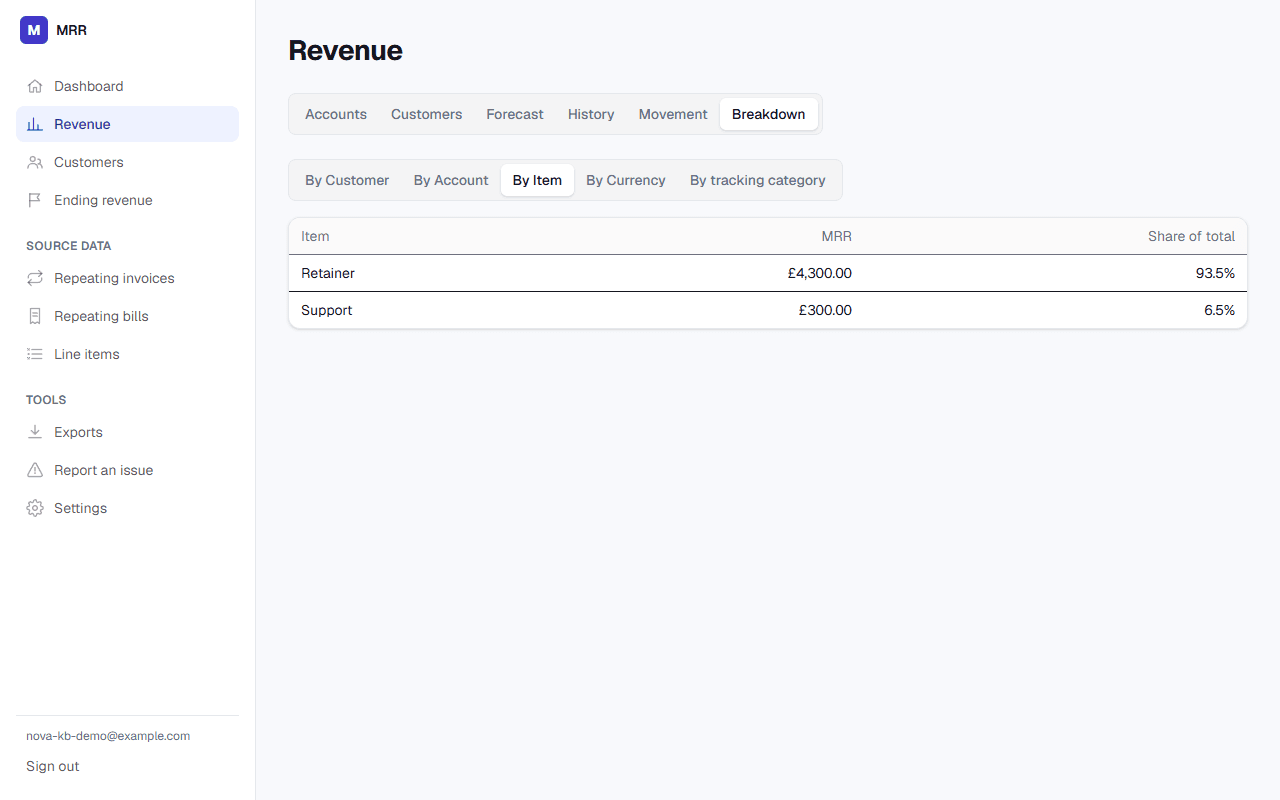
A lighter view for organisations using Xero inventory item codes on their repeating invoice lines — current MRR grouped by item code, useful for seeing which product or service line is driving recurring revenue.
If you don't use tracking categories or item codes
These options simply won't appear — nothing to configure, no empty section left behind.